Selfie to video in one click, made to keep your face the same.
Upload one selfie, press one button and get a short selfie to video clip as an MP4. Writing is optional: the built-in motion adds a natural blink, a soft smile, a small turn of the head and a slow camera move, and asks the AI to keep your face, hair and outfit exactly as they are.
Sign in with Google or Apple and your selfie to video clip starts rendering right away. Your first video is free.
Selfie to video in one click · First video free · Failed runs refunded
Selfie to video examples, one click each.
Each selfie to video clip here began as a single photo. We uploaded each picture and pressed one button: the built-in selfie motion, no prompt, no editing, no second try. The model and length sit under each clip.
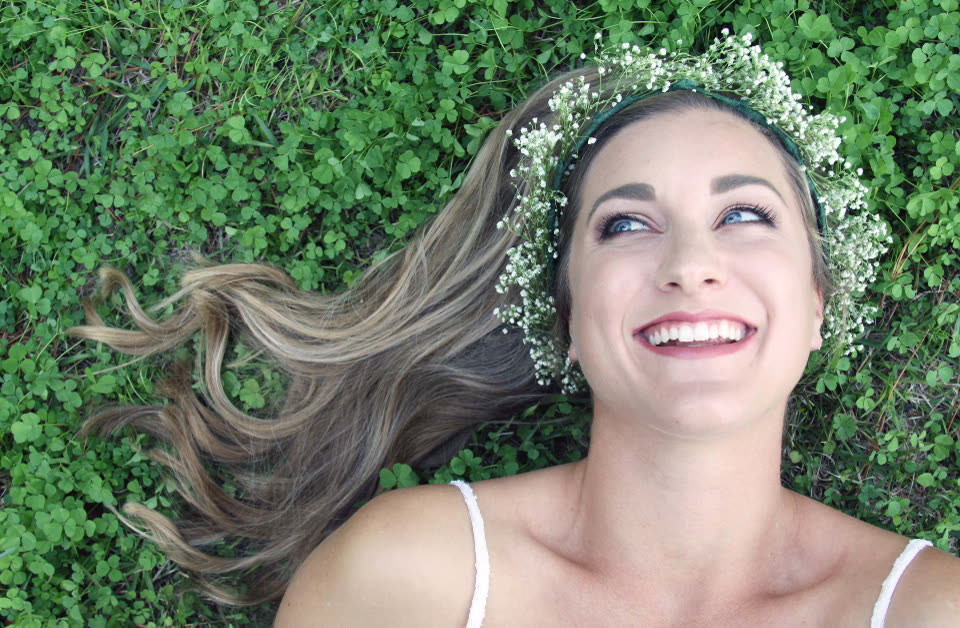 Before
A woman with a flower crown smiling up at the camera
The built-in selfie motion, nothing written
Kling O3 · 5 s
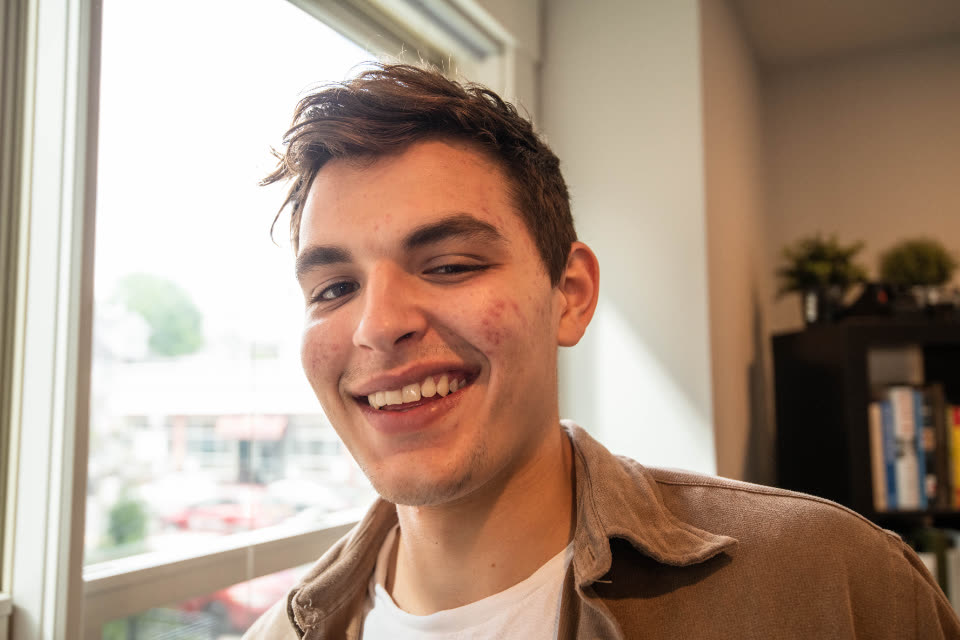 Before
A smiling young man by a sunny window
The built-in selfie motion, nothing written
Kling O3 · 5 s
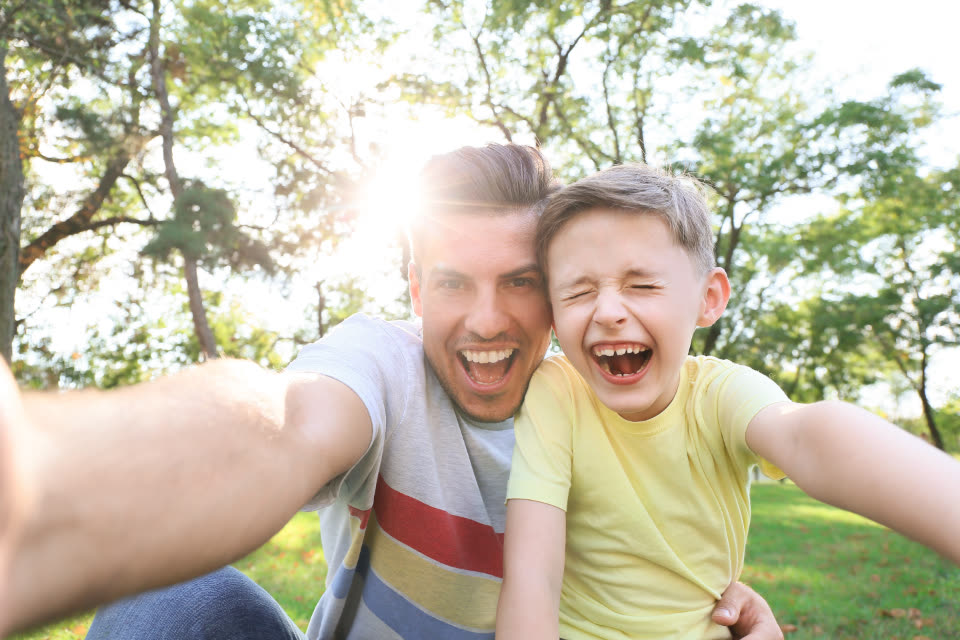 Before
A father and son laughing in an outdoor selfie
The built-in selfie motion, nothing written
Kling O3 · 5 s
Selfie to video AI at a glance.
Stivio is a browser-based selfie to video AI: one selfie in, a short animated MP4 out. The facts, in one place.
- Input
- One photo for each selfie to video clip: JPEG, PNG or WebP, up to 10 MB. A solo selfie, a selfie with friends, a mirror selfie or a portrait.
- Output
- An MP4 of 3 to 30 seconds, depending on the model, in the same shape as your photo: square, vertical or wide.
- Motion
- Built in: a natural blink, a soft smile, a small head turn, light hair movement and a slow push-in. Or describe your own selfie to video motion.
- Models
- Kling O3, Seedance 2.5, Seedance 2.0, Wan 2.6, MiniMax H3 and Kling 2.6. The one-click button makes a 5-second selfie to video clip on Kling O3 at 720p.
- Time
- Usually 1 to 5 minutes per selfie to video clip. Failed renders are refunded automatically.
- Price
- A 5-second Kling O3 720p clip costs 10 credits. One-time packs: $19 for 160 credits or $59 for 640, and credits never expire.
- Free trial
- New accounts get 12 free credits (one free trial per person), enough for one selfie to video clip with a watermark.
- Rights
- Terms section 10.2 lets you use your selfie to video clips for personal and commercial purposes; you are responsible for the photos you upload. After any purchase, videos also have no watermark.
How to turn a selfie to video in three steps.
No app to install, no editing and no prompt writing. A selfie to video clip here takes one photo and a couple of minutes, all in your browser.
- 01
Upload the selfie to video
Pick a sharp selfie where your face is clear and well lit. The selfie to video clip keeps the photo's shape, so a vertical phone selfie gives a vertical video, ready for Stories, Reels and TikTok.
- 02
Press Animate my selfie
The selfie to video motion is already written for you: a blink, a soft smile, a small turn of the head and a slow push-in. Want something else, like a laugh or a wave? Type it in the optional box.
- 03
Download the MP4 and post it
Your selfie to video clip is usually ready in 1 to 5 minutes. Save the MP4 and post it as a Story, a Reel or a profile video, or send it to friends.
Tips for a better selfie to video clip.
The AI starts from your photo, so the selfie you pick decides most of the result. These habits help every selfie to video clip look like you.
Use a sharp selfie to video
Daylight from a window or outdoors gives the cleanest selfie to video result. Dark, blurry or heavily filtered selfies make the AI guess, and guessing is where faces start to change.
Keep your face clear for selfie to video
A face that looks toward the camera, without a hand, a phone or hair covering it, holds up best. Sunglasses and big hats work, but the eyes are what make a selfie to video clip feel alive.
Leave a little space around you
Don't crop tight to your forehead or chin. The camera moves a little during a selfie to video clip, and some space keeps your whole head inside the frame.
Group selfies: fewer faces hold up better
Two or three people work well. In a big group selfie, small faces at the edges can soften as the selfie to video clip moves.
Ask for one movement at a time
If you write your own selfie to video prompt, keep it to one idea: "she laughs and looks away", "he raises his eyebrows and smiles", "the wind blows through her hair". One clear idea renders better than five.
Try a second model if a take looks off
Different models move faces differently. If one selfie to video take changes your smile or your eyes, run the same selfie on another model in the Studio and keep the one that looks most like you.
Where people post a selfie to video clip.
A selfie to video clip is only a few seconds long, so it fits anywhere a selfie would, and it stands out because it moves.
Selfie to video for Stories, Reels and TikTok
Start from a vertical selfie and your selfie to video clip is ready to post. A few seconds of a natural smile is a simple, eye-catching Story.
Selfie to video profile videos
Some apps and sites let you use a short video as your profile picture. A selfie to video clip with a blink and a smile is a friendly way to fill it.
Selfies with friends and family
Turn a group selfie from a trip, a birthday or a night out into a short selfie to video memory and send it to everyone who was there.
Creators and personal brands
Use a selfie to video clip in an intro, a link-in-bio page or a post about your work. Paid videos carry no watermark, and Terms section 10.2 allows commercial use. Only use photos of people who agreed to it.
Selfie to video AI: your questions.
What people usually ask before they make a selfie to video clip with Stivio.
How do I turn a selfie to video with AI?
Upload your selfie on this page and press Animate my selfie. The motion is built in, so you don't have to write anything. The AI renders a short MP4 in about 1 to 5 minutes. Sign-in with Google or Apple is required before the video renders.
Is there a selfie to video AI free?
Yes. New accounts get 12 free credits (one free trial per person), enough for your first selfie to video clip. Free videos carry a stivio.ai watermark across the middle of the frame; any one-time pack or plan removes it from every later video.
Will my face stay the same in the selfie to video clip?
Your selfie is the first frame, and the built-in motion tells the AI to keep your face, skin, hair and clothes unchanged and not to beautify anything. Clear, well-lit selfies usually hold up well. It is AI video, so check the result before you post it; if a take looks off, run it again or try another model.
What is the best selfie to video AI?
It depends on what you want. If you want your own selfie to move naturally, with a blink, a smile and a head turn, Stivio does that in one click and lets you switch between six video models in the Studio. If you want your selfie to talk or sing along to audio, a lip-sync or talking-avatar tool fits better, since Stivio doesn't do lip-sync.
How much does a selfie to video clip cost?
A 5-second Kling O3 clip at 720p costs 10 credits. With the one-time packs ($19 for 160 credits, $59 for 640) that is about $1.19 or $0.92 per selfie to video clip, and the credits never expire. Longer clips, higher resolutions and other models cost more per second; the Studio shows the cost of every setting. Your first selfie to video clip is free.
Which AI model is best for selfie to video?
Kling O3 keeps faces steady and is one of the lowest-priced models per second, which is why the one-click button uses it. Seedance 2.5 handles longer clips, up to 30 seconds. You can switch on sound in the Studio for Kling O3, Kling 2.6 and the Seedance models.
Is selfie to video a face animator online free?
Yes, it works as a face animator online: your first video is free, and nothing is installed, everything runs in your browser. Upload a selfie or a portrait and the AI animates the face with a blink, a smile and a small head turn.
Can my selfie to video clip talk or lip-sync?
No. Stivio doesn't lip-sync, read a script or clone your voice. The built-in motion keeps the mouth closed apart from a smile. Some models can add AI sound effects in the Studio, but not speech in your voice.
Can I make a selfie to video clip with no watermark?
Yes. Free trial videos carry a stivio.ai watermark across the middle of the frame. After any purchase, a one-time pack or a plan, every new selfie to video clip you make is clean.
Is selfie to video the same as a selfie video verification?
No. Instagram, Facebook and other platforms sometimes ask for a live selfie video to confirm who you are. Stivio makes an AI animation from a photo; never use it for identity checks, which need a real recording of you.
Does selfie to video add filters or retouch my face?
No. Stivio doesn't smooth skin, change your face shape or add filters. The AI starts from your selfie as it is and adds movement. Edit the photo first if you want a filtered look.
Can I make a selfie to video clip for TikTok?
Yes. The video follows your photo's shape, so a vertical 9:16 selfie gives a vertical selfie to video clip, a square selfie gives a square one and a wide photo gives a wide one.
Can I write my own selfie to video prompt?
Yes. Leave the box empty for the built-in motion, or describe one movement in plain words, for example "she laughs and tucks her hair behind her ear", "he winks at the camera" or "they both turn and smile at each other". Keep it short and about what is already in the photo.
Does selfie to video work with group selfies and mirror selfies?
Yes. Group selfies with two or three clear faces work well, and mirror selfies work too. In a big group, small faces at the edges can soften, so a closer shot gives a better selfie to video clip.
Can I turn someone else's selfie to video with AI?
Only with their permission. Upload photos you took or have the right to use, and ask the person before you post an animated version of their face. Don't use it to make anyone look like they did or said something they didn't.
Can I get a selfie to video GIF instead of an MP4?
Stivio delivers every selfie to video clip as an MP4. If you need a GIF, convert the MP4 with a free converter.
Is there a selfie to video app?
You don't need an app: selfie to video runs in your phone or desktop browser. Open this page on your phone, upload a selfie from your camera roll, sign in and save the finished MP4.
How long does a selfie to video clip take?
Usually 1 to 5 minutes for each selfie to video clip. You can keep the page open to watch it land, or find it later in your history.
Are the selfies I turn to video kept private?
They are never listed publicly. Videos are unlisted: only people you send the link to can open them, and they are kept out of search engines. Stivio never uses your uploads to train its own models and never sells them or shares them for advertising. Your photo goes only to the services that check, render and store it, listed in Privacy Policy section 7. Anyone you send a video link to can also see the original photo.
More ways to make videos from photos
Selfie to video from one photo of you.
Upload a selfie, press one button and get your selfie to video clip in a few minutes. Sign in with Google or Apple, first video free, no card needed.